
You can share multiple images to WhatsApp contacts using Intents by using putParcelableArrayListExtra method and passing an image URI ArrayList object.
Code Snippet: Uri uri1 = Uri.parse("android.resource://com.code2care.example.whatsappintegrationexample/drawable/image1");
Uri uri2 = Uri.parse("android.resource://com.code2care.example.whatsappintegrationexample/drawable/image2");
Uri uri3 = Uri.parse("android.resource://com.code2care.example.whatsappintegrationexample/drawable/image3");
ArrayList<Uri> imageUriArray = new ArrayList<Uri>();
imageUriArray.add(uri1);
imageUriArray.add(uri2);
Intent intent = new Intent();
intent.setAction(Intent.ACTION_SEND);
intent.putExtra(Intent.EXTRA_TEXT, "Text caption message!!");
intent.setType("text/plain");
intent.setType("image/jpeg");
intent.setPackage("com.whatsapp");
intent.putParcelableArrayListExtra(Intent.EXTRA_STREAM, imageUriArray);
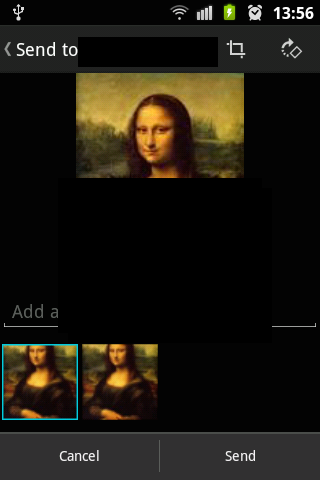
startActivity(intent);You would see multiple images stack when the Android WhatsApp Activity page is loaded and you select a contact or group!!
Comments:
- Worked like a charm! Thank you!
anon 08 Nov 2020 17:11:43 GMT
- Further comments disabled!
Comments & Discussion
Facing issues? Have questions? Post them here! We're happy to help!
Provide Feedback For This Article
We take your feedback seriously and use it to improve our content. Thank you for helping us serve you better!
😊 Thanks for your time, your feedback has been registered!