
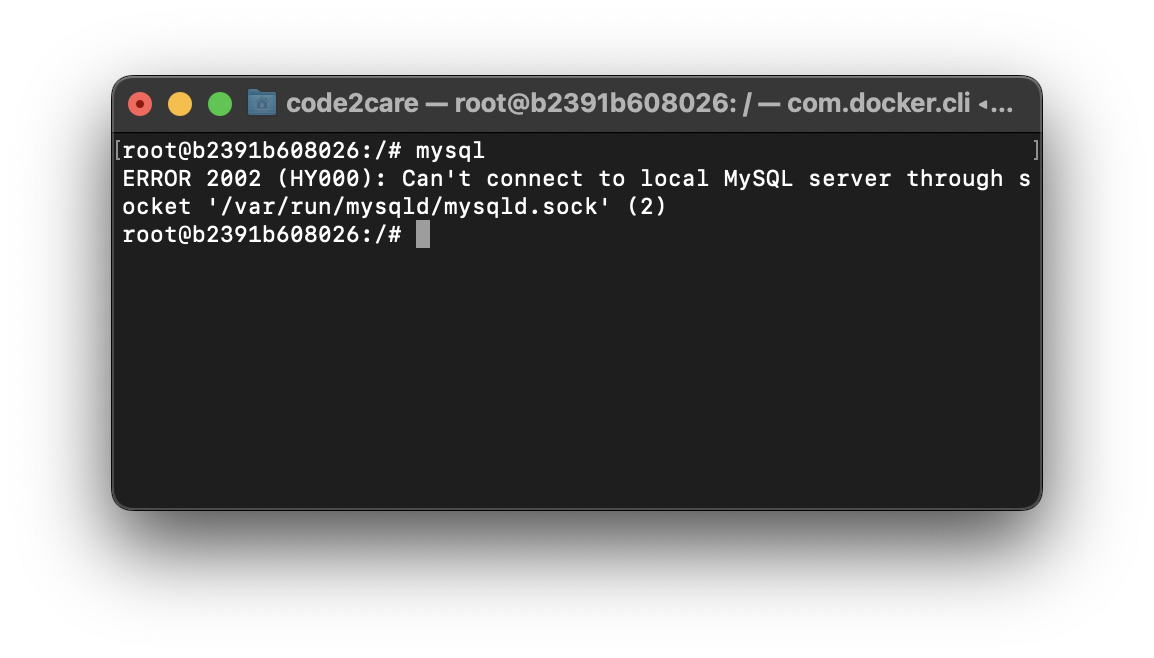
# mysql

ERROR 2002 (HY000):

Can't connect to local MySQL server through socket '/var/run/mysqld/mysqld.sock' (2)
If you try to start mysql server and you get the above error 2002 (HY000), the most common reason is that the mysql service is not running, in order to fix that you need to start the mysql server,
Solution:# sudo service mysql start
* Starting MySQL database server mysqld [ OK ]Now try to get into mysql prompt and you should be through!
root@b2391b608026:/# mysql

Welcome to the MySQL monitor.  Commands end with ; or \g.
Your MySQL connection id is 10
Server version: 8.0.28-0ubuntu0.20.04.3 (Ubuntu)

Copyright (c) 2000, 2022, Oracle and/or its affiliates.

Oracle is a registered trademark of Oracle Corporation and/or its
affiliates. Other names may be trademarks of their respective
owners.

Type 'help;' or '\h' for help. Type '\c' to clear the current input statement.

mysql>
We can also check if the mysql service is running or not using the service status command,
sudo service mysql status
 * /usr/bin/mysqladmin  Ver 8.0.28-0ubuntu0.20.04.3 for Linux on aarch64 ((Ubuntu))
Copyright (c) 2000, 2022, Oracle and/or its affiliates.

Oracle is a registered trademark of Oracle Corporation and/or its
affiliates. Other names may be trademarks of their respective
owners.

Server version 8.0.28-0ubuntu0.20.04.3
Protocol version 10
Connection Localhost via UNIX socket
UNIX socket /var/run/mysqld/mysqld.sock
Uptime: 7 min 22 sec

Threads: 2  Questions: 10  Slow queries: 0  Opens: 117
Flush tables: 3  Open tables: 36  Queries per second avg: 0.022
If the device is not running you will see MySQL is stopped.
# sudo service mysql status
* MySQL is stopped.Provide Feedback For This Article
We take your feedback seriously and use it to improve our content. Thank you for helping us serve you better!
😊 Thanks for your time, your feedback has been registered!
Comments & Discussion
Facing issues? Have questions? Post them here! We're happy to help!