
As new versions of Notepad++ are coming up, they are making it more powerful with more plugins and add-ons. One of such addon is Multi-Editing
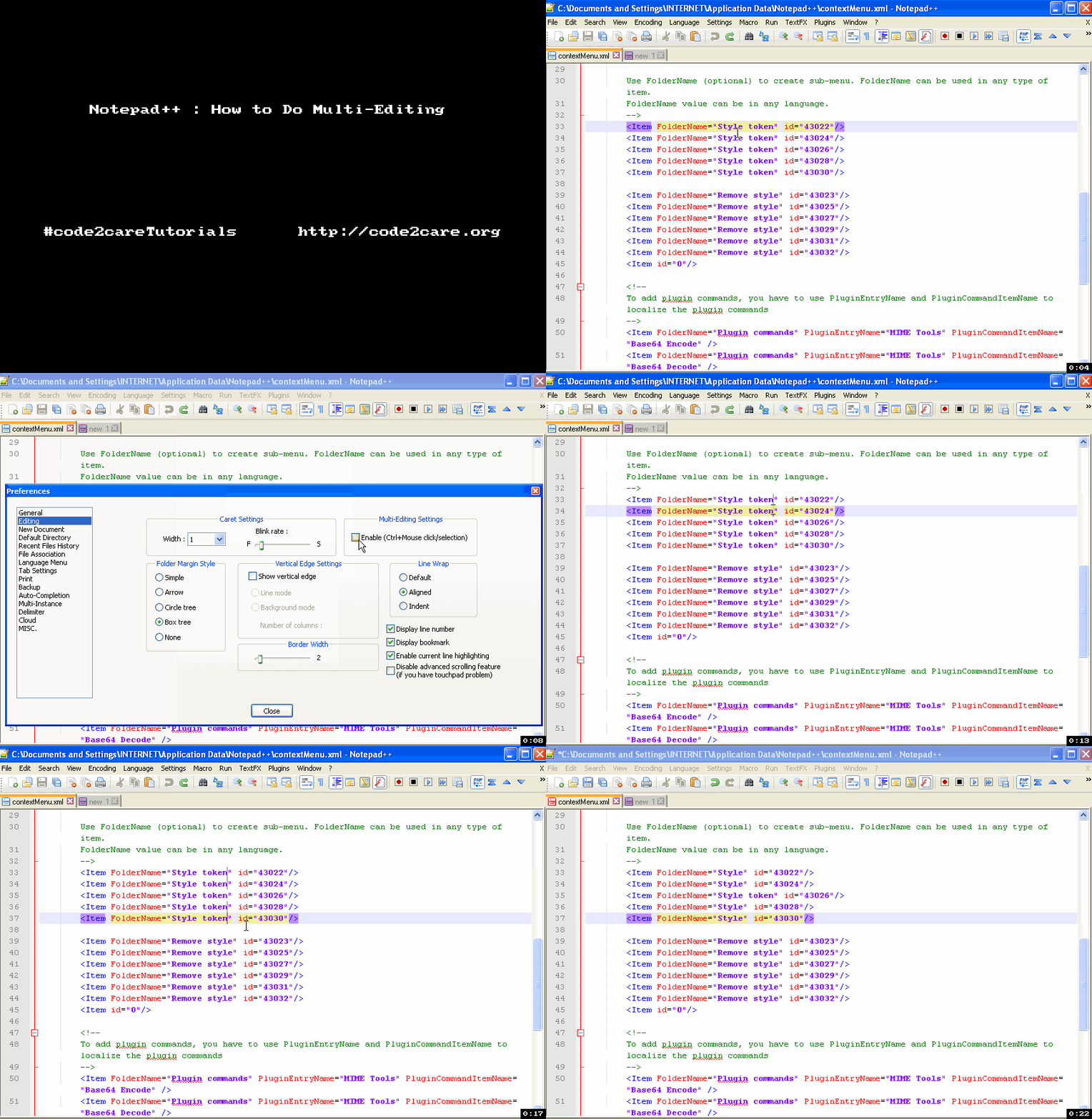
How to do it :
- If you want to to Edit a file at Multiple line at the same time, you can do it using Multi-Editing. By default Multi-Editing is disabled, So you need to enable it by going to Menu : Settings -> Preferences -> Editing (Tab)
- Now Check Enable (Ctrl+Mouse click/selection) under Multi-Editing Settings.
Provide Feedback For This Article
We take your feedback seriously and use it to improve our content. Thank you for helping us serve you better!
😊 Thanks for your time, your feedback has been registered!
Comments & Discussion
Facing issues? Have questions? Post them here! We're happy to help!