
To make text in your TextView Bold or Italic in Android Programming we need to make use of attribute android:textAppearance. It can have three values normal, bold and Italic.
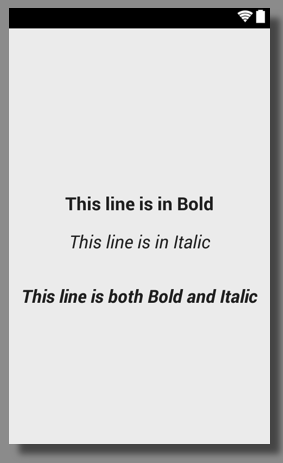
Example 1 : Bold
<TextView
  android:id="@+id/tvBold"
  android:layout_width="wrap_content"
  android:layout_height="wrap_content"
  android:text="This line is in Bold"
  android:textAppearance="?android:attr/textAppearanceLarge"
  android:textStyle="bold" />
Example 2 : Italic
<TextView
  android:id="@+id/tvItalic"
  android:layout_width="wrap_content"
  android:layout_height="wrap_content"
  android:text="This line is in Italic"
  android:textAppearance="?android:attr/textAppearanceLarge"
android:textStyle="italic" />Provide Feedback For This Article
We take your feedback seriously and use it to improve our content. Thank you for helping us serve you better!
😊 Thanks for your time, your feedback has been registered!
Comments & Discussion
Facing issues? Have questions? Post them here! We're happy to help!