
In order to know how much RAM you have on your Mac, click on the Apple Logo on the Menu bar and select "About This Mac", you will see under overview the Memory details in GB.
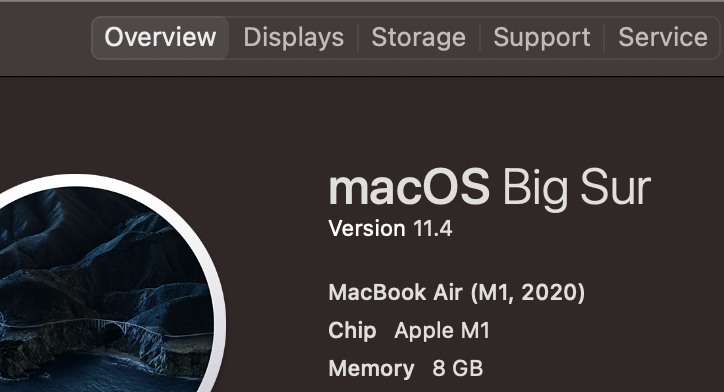
As you can see the screenshot that I have provided of my M1 Macbook Air - that has 8 GB of memory.
Advanced: How to get more details about RAM on Mac?
If you want to know more specific details as to which version of RAM has been installed on your device, follow the below steps,
- Click on the Apple Logo on Menu Bar,
- Select "About This Mac",
- Now under Overview Tab, click on System Report...,
- Click on Memory under Hardware,
- You should see details about how much RAM you have and its Type.

Memory: 8 GB
Type: LPDDR4
Have Questions? Post them here!
Provide Feedback For This Article
We take your feedback seriously and use it to improve our content. Thank you for helping us serve you better!
😊 Thanks for your time, your feedback has been registered!
Comments & Discussion
Facing issues? Have questions? Post them here! We're happy to help!