
Time Machine lets you take a backup of your Mac, when turned on it automatically takes a backup of your personal data, including apps, music, photos, email, and documents. This is something that is really helpful to be sure that you do not lose any of your important data by accident or overwriting.
Apple Support handle on Twitter tweeted about making sure to take up a backup of your important files and projects before you update to macOS Ventura which will be released today, 24th October 2022.
Before you update to macOS Ventura, make sure to back up all your important files, projects and photos.
— Apple Support (@AppleSupport) October 20, 2022
The easiest way to back up your Mac is with Time Machine. Learn how by watching our video on YouTube: https://t.co/VCcUhq3yft pic.twitter.com/akjSaQLkKa
How to take a backup of Mac using Time Machine
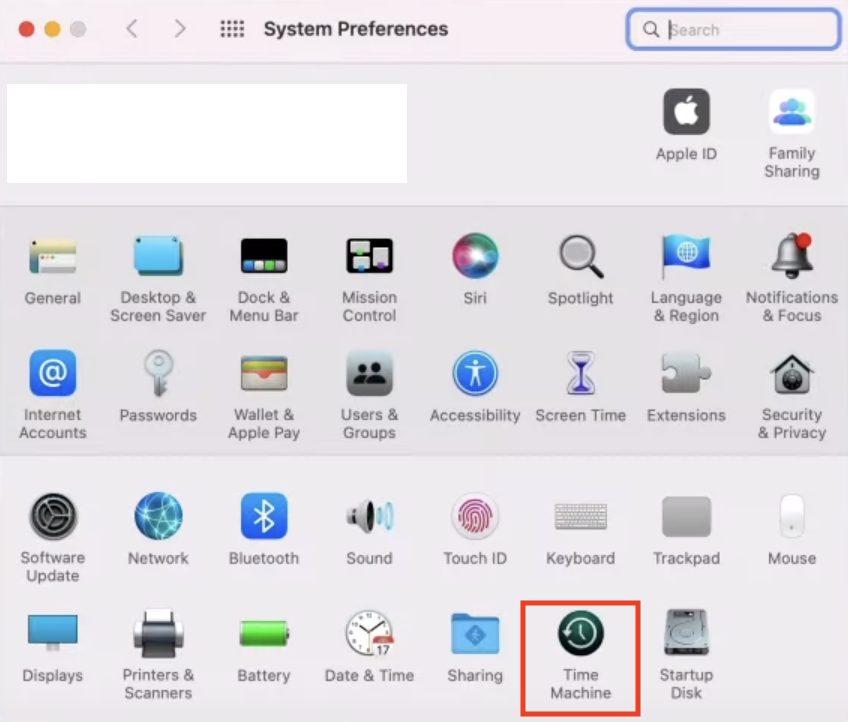
- Make sure you have an external storage device connected to your Mac (like an SSD Harddisk)
- Go to Apple menu , select System Preferences...,
- Select Time Machine,
- Click on "Select Backup Disk..." and choose the external disk connected,
- Optional: You can also encrypt your backup by selecting "Encrypt Backups" and setting a password
- Select Use Disk
- The backup will start and would take some time to complete (hours depending upon the number of files you have its size)
- You will see a notification "Backup complete - Time Machine has finished backup to your backup drive"
If you already have a backup external device setup, connect it to your Mac and click on Back Up Now on the Time Machine icon on your Apple Menu bar.
Apple macOS Ventura 13 comes out today at 10 AM PT, make sure you take backups of your #Mac before the update.https://t.co/xGjHwYrbic#apple #macOS #macOS #Ventura #Macbook #M1 #M2 #AppleSilicon #Diwali #Release #SoftwareUpdate #iOS16
\— Code2care (@Code2care) October 24, 2022
Provide Feedback For This Article
We take your feedback seriously and use it to improve our content. Thank you for helping us serve you better!
😊 Thanks for your time, your feedback has been registered!
Comments & Discussion
Facing issues? Have questions? Post them here! We're happy to help!