
Sounds can be annoying at times while trying to concentrate on something important, if you are working on the Notepad++ text editor and do not want it to have any sounds chimed out on an error or warning, you can do so by following the below steps,
- Go to Menu: Settings -> Preferences...
- Now select the MISC. tab,
- Check the option "Mute All Sounds"
- Click Close.
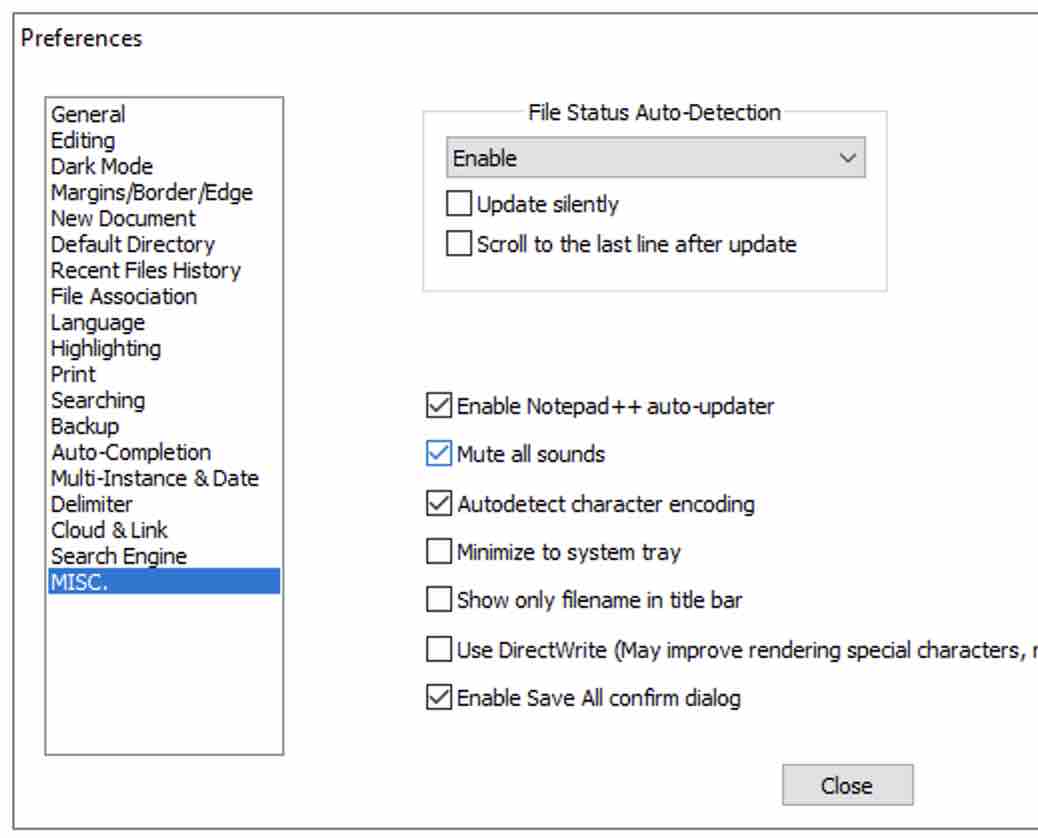
This option is available since Notepad++ v7.9.4
Provide Feedback For This Article
We take your feedback seriously and use it to improve our content. Thank you for helping us serve you better!
😊 Thanks for your time, your feedback has been registered!
Comments & Discussion
Facing issues? Have questions? Post them here! We're happy to help!