
All the configurations related to git such as the user.email and user.name are stored in the gitconfig files that can be stored at different places based on the option you provided (system, global, local) while setting them up,
- $PATH/etc/gitconfig: Stores the system config values, which are set using --sytem option
- ~/.gitconfig: Stores the personal/global values which are set using --global option.
- .git/config: Stores values at the local repository level, set using the --local option.
You can see all the config values using the command: git config -l or git config --list
Example:% git config -l
user.env=uat
user.email=you@example.com
user.name=Code2care
core.repositoryformatversion=0
core.filemode=true
core.bare=false
core.logallrefupdates=true
user.team=devIn order to see the file location of all the config values add the option --show-origin
Example:git config --list --show-origin
file:/etc/gitconfig user.env=uat
file:/root/.gitconfig user.email=you@example.com
file:/root/.gitconfig user.name=Code2care
file:.git/config core.repositoryformatversion=0
file:.git/config core.filemode=true
file:.git/config core.bare=false
file:.git/config core.logallrefupdates=true
file:.git/config user.team=dev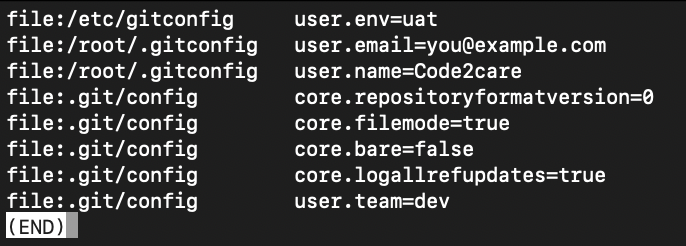
Provide Feedback For This Article
We take your feedback seriously and use it to improve our content. Thank you for helping us serve you better!
😊 Thanks for your time, your feedback has been registered!
Comments & Discussion
Facing issues? Have questions? Post them here! We're happy to help!