
By default Sublime Text (as of July 2021) does not display the count of words in a file or a tab. In order to count the number of words on a file/tab, follow the below steps,
- Open Sublime Text,
- Press Control + Shift + P (or Command + Shift + P if on Mac using macOS) to open Comand Pallete,
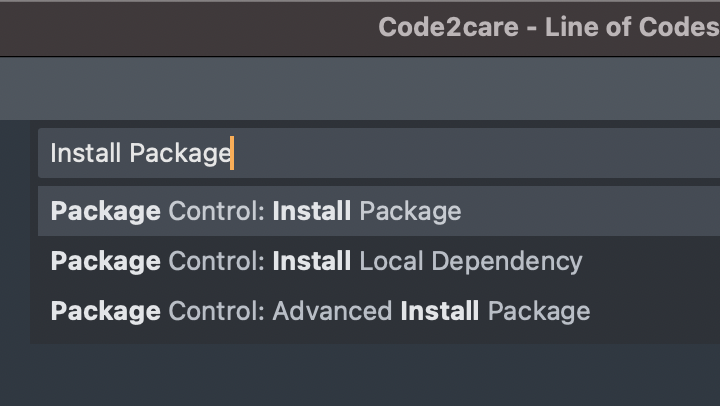
Sublime Package Control - Install Package - Now search: Install Package,
- After the Repositories are loaded you will see a search box - look for WordCount,
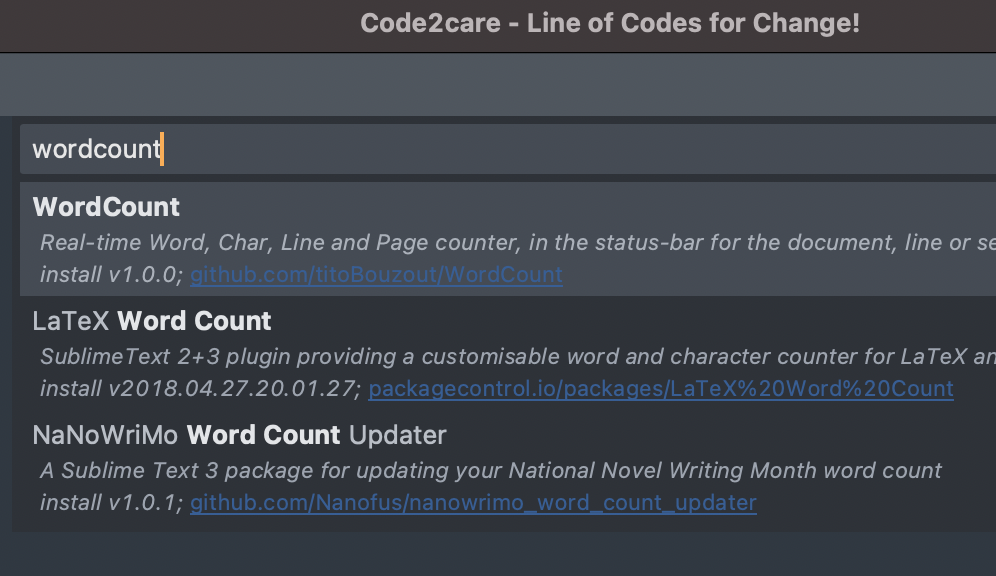
Installing Package WordCount - After Installation, you should be able to see the word count on the bottom left bar.
You can find the WordCount Package on GitHub: https://github.com/titoBouzout/WordCount

Have Questions? Post them here!
Provide Feedback For This Article
We take your feedback seriously and use it to improve our content. Thank you for helping us serve you better!
😊 Thanks for your time, your feedback has been registered!
Comments & Discussion
Facing issues? Have questions? Post them here! We're happy to help!